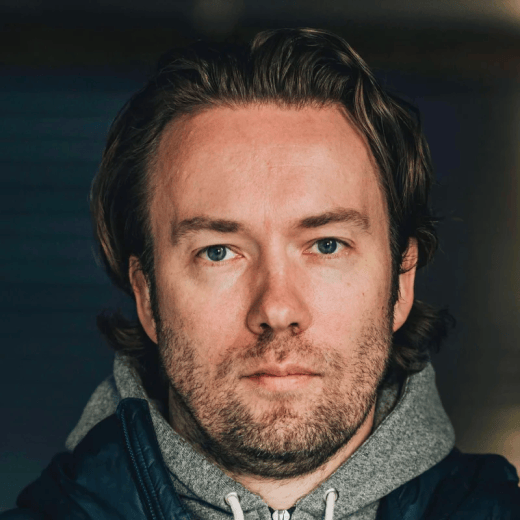
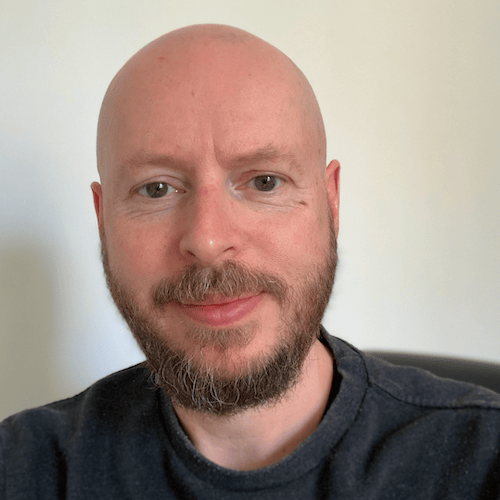

In this episode of RECORDABLES, we dive into the thinking behind the ONCE open source app server and what it takes to turn self-hosted software into something anyone can run. David Heinemeier Hansson and Kevin McConnell walk through the shift from single-app installs to a console-like system that can run multiple applications on one machine, and the philosophy that guided that evolution.
Along the way, they explore the tradeoffs between simplicity and flexibility, the role of Docker and Kamal in making deployments seamless, and why ease of use matters more than raw capability. This conversation is a look at packaging complexity into something approachable and how ONCE aims to make running your own software feel fast, fun, and accessible.
Watch the full video episode on YouTube.
Timestamps
- 00:00:00 — Introduction
- 00:01:06 — What ONCE is and why it became open source
- 00:03:42 — Running multiple apps on a single machine
- 00:10:16 — Why single-machine deployments work today
- 00:17:47 — Balancing simplicity with flexibility
- 00:26:11 — Installing apps in seconds
- 00:36:47 — When to use ONCE vs. Kamal
Links & Resources
Transcript
Episode Highlights (00:00:00): The vast majority of people, they want something that’s convenient. They want something that’s quick. They want something where they can get the value without all the hassle. Making it a little bit more flexible is really useful, but not losing sight of that super targeted flow was really important. Making something that’s possible, accessible, easy, fun, aesthetically pleasing, that’s the mission we’ve been on with ONCE.
Kimberly (00:27): Welcome back to Recordables. This is where we’re sitting down with the programmers from 37signals to hear a little bit about what they’ve been working on behind the scenes so you can learn a few things and learn from some of our mistakes. I’m Kimberly, your host, joined by my trusty co-host, Fernando. Hello, Fernando.
Fernando (00:41): Hello, hello.
Kimberly (00:42): And then we have back with us, Kevin McConnell, who’s been with us on Recordables before, and then a special guest. You know him, David Heinemeier Hansson. Our team has recently released a new app server. We’re going to talk about it today. It is called ONCE. You’ve heard that name before. We’ve rebranded a couple of things, so we’re going to dive into all those details today. David, why don’t you kick us off on what this new open source tool is?
David (01:06): Sure. So this is a continuation of all the work we did originally to launch the ONCE brand and the applications that sat under it, like Campfire and Writebook. And those applications were intended for the ONCE business model where we would sell you a piece of web application software that you could install and run on your own machine. And it worked pretty well, but it wasn’t kind of the rocket ship that it needed to be for us to continue in that direction as a commercial branch of what we do here at 37signals. And instead we thought, you know what? We’ve recouped the investment that we did into Campfire. We had already released Writebook just as a free tool under this setup, but there are factors in how you run these services or how you did run them that weren’t the best if you wanted to run multiple.
(02:02): So we thought, you know what? Let’s just make all of this open source. Let’s just make all of it free. And then let’s really upgrade the platform itself that these applications run on so that you can run all of it at the same time on a single machine. Because when we first launched Campfire, it was really easy to install. You got one bash command that you’d paste into your terminal and it would set everything up, but then it would kind of dedicate that machine or that VM if you were hosting in the cloud to just that application. And getting anything running next to it was kind of cumbersome. So we actually already encountered this feedback when we launched Writebook because there were a bunch of people who were already running Campfire and who liked to run Writebook as well. And we kind of had to tell them, “You need a second machine.
(02:52): You need a new VM.” Which I don’t know, for us who are very familiar with this stuff, perhaps wasn’t the biggest deal in the world, but it was a real blocker for a ton of people. So we thought now that we’re releasing all this stuff as open source and that we ended up releasing Fizzy under the same paradigm, it had a dual license, the O’Saasy license where we allowed you to do basically whatever you wanted on your own installation as long as you didn’t compete with our SaaS setup, but it functioned the same way as Campfire and Writebook. And now you really have three applications that someone might want to run and you’re not going to ask someone to use three machines to dedicate to that. That’s wasteful, it’s cumbersome, all of that. So as we were moving into that direction of making all this free and open source, we thought, you know what?
(03:42): We could do better. And one of the reasons we could do better is because we’ve already built many of the underpinnings that we’re using for ONCE for our commercial products. We built something called Kamal, which is the main deployment tool that we used to get out of the cloud. Where in the cloud, we were running some Kubernetes and all this other stuff that was just way too complicated. So when we moved Basecamp and HEY and all the other services onto our own machines, we built something called Kamal. And Kamal has kept growing over the last few years. And one of the things that it has gained is something called Kamal Proxy. And Kamal Proxy allows us to do a lot of the really nice things you need for commercial services like deploying a new version of it without taking the application down, not losing any in-flight requests.
(04:35): And we thought, you know what? That piece, that proxy would fit really well if we could put it into the ONCE setup such that when you’re updating any of these applications, now there are multiple of them on your setup, you also get that nice no downtime deployment. But just as important, you can run multiple applications on a single machine. So that was really the impetus to this. But even broader than that, I had from the beginning with ONCE, once we kind of corralled around this vision of turning it into complete open source deployment setup, that it should work more like Nintendo, like an old Nintendo with cartridges where you could have multiple cartridges. The older version of Nintendo was you bought Donkey Kong on this handheld and that was the one game. And Donkey Kong is a phenomenal game, but at some point you’re probably going to get bored with that.
(05:32): And well, here’s a piece of hardware that only works with that. The Nintendo, Super Nintendo systems and even the original NES, they all have cartridges. You could change them out and you could plug in a new game. And what I really loved about that setup was just the simplicity of it. Cartridge out, cartridge in, it just works. There’s almost nothing to it, but it is interchangeable. And I thought, can we bring that level of simplicity to something like web applications? Now, we’d sort of already done that with ONCE, but that was kind of like Donkey Kong and we wanted to do the full console experience with multiple games here, multiple web apps. So that was the drive, right? Thinking about this as a console experience, which actually when Kevin is going to show how it really works, it was a little bit of the inspiration too about the aesthetics.
(06:25): Can we make this feel like a bootscreen? Like you’re starting up a new game and it has some interesting visual effects to it. Can we lean something like a web app server into the direction of something that’s a little fun, something that perhaps blurs the line a bit between developers and consumers where tech savvy, not even that savvy, just marginally savvy individuals could actually use this, could actually run their own applications on it, even if they weren’t programmers. I think this is something we’ve seen now a lot with the AI revolution, that there’s suddenly a bunch of people who were not capital P programmers who are programming because we’ve reduced the barriers of entry. We’ve made it so easy, or these agents have made it so easy, to create everything from an iOS app, to a web app, to a Go App, to whatever app. So I think we’re getting more people in that direction.
(07:23): And then nicely enough too, that whole flow has been through its terminal. So Claude Code and OpenCode and Gemini CLI, they’ve all been tracking people who might’ve been a little unwilling at first into the terminal. And that’s basically all we’re asking anyone to do when they set up this ONCE web app server. We’ve even made it interesting point that by the time you set up ONCE, you can install all our three basic applications. So you can install Campfire, you can install Writebook and you can install Fizzy. They’re just selectable from a multi-select menu. Or just as importantly, in my little Nintendo metaphor here, those three applications are our first party. That’s our Mario Kart, that’s our Super Mario, that’s our Pilot Wings. But then you can also bring your own software. You can bring your third party Docker containers to the setup and they can run the same way right next to the three applications we’re shipping with.
(08:22): Anyone can make open applications, open source applications that are distributed this way, comply to a few small rules. Basically, I think we have two rules. One is your application has to answer on slash up or you’d have to configure where that is. If you answer on slash up, we know when your application is ready to serve, that’s very useful when you’re both setting it up in the first place. And then also when you’re doing updates that we can do that gapless deploy. And then secondly, that in almost all cases that it’s based on SQLite because we give you one directory called slash storage where you can put anything into and then it’s very nicely contained. So in that setup, it’s really designed for single computer deployments, which is also this trade-off. If you look at something like Kamal like I was talking about that we’re using to deploy Basecamp and HEY with, that’s deploying on dozens of machines at the same time.
(09:19): And there’s a lot of coordination, there’s a lot of auxiliary services. We need to have MySQL running, we have Redis running, we have all these other things running, which is great. Kamal is ideal for that kind of bespoke internal SaaS operations setup. ONCE is much more sort of the console stage. There’s just one machine that you dedicate to run ONCE on, and you can run as many applications on that as you can fit on a single box, but it is constrained to one box and the applications are constrained to one directory that they can save into, which means that in almost all cases they’re going to use something like SQLite. Now, the great thing about SQLite is it’s ideal for this purpose that these applications are meant for single user if it’s a personal application or single company deployments. So it’s not like you’re going to deploy Campfire and then run it for, I don’t know, a million different companies at once.
(10:16): No, when you run ONCE, each company has their own ONCE console. They click in the cartridge for Campfire and then they use it within their organization. And it just so happens that technology has gotten really good. Servers have gotten incredibly fast. Even tiny little mini PCs, let alone droplets or other micro VMs in the cloud have gotten so good that almost any size organization can run one of these applications even with thousands of people on that single box. So it’s kind of trying to take advantage of all these advantages that we’ve seen over just even the last few years. Docker is phenomenal for packaging this stuff up. We have counted technology with something like Kamal Proxy. Server hardware has gotten really good just that you can dedicate a single machine to it and that’s everything you need for even quite large deployments. The missing bit has been to make this so easy that almost anyone can do it.
(11:18): And when we were talking about this and originally said, no, I wanted to make it so easy in all the instances. I wanted to make it really easy if you just want to run this on your laptop. If you just want to run it for yourself, Writebook is a wonderful way of writing a book even if you’re the sole consumer of it. You can use Campfire with just a study group. You can do Fizzy just with you and your agents to coordinate work. These applications scale down really well to single individuals or tiny groups. But then of course, you can also take that and start it on your laptop and move it into the closet. You might have an old PC or something like that. You stick into the closet and suddenly you have all the firepower in the world. They can stay up all the time even when you close the lid on your laptop.
(12:06): And then at some point you might want to move this onto the cloud or a bigger service. So that’s also kind of the magic of the constraints around this slash storage directory because we’ve also built in backup and restore. So you can start an application on the laptop, do a backup, get it running in the closet, restore that backup, get it and run it on a cloud server if you want or move in any other direction that you care to. And I think that model of web applications that they are for single organizations fulfill a enormous amount of checkboxes that people are increasingly starting to care about. And a key part of it is you own your data. Now in the EU, for example, that’s become a really hot topic that lots of organizations actually can’t host their stuff on American servers or are feeling queasy about it and would prefer to have it on their own setup.
(13:06): And with something like ONCE, it’s completely trivial to do. The second thing is this software is yours forever. So if Fizzy, for example, 15 years from now is no longer operational because we as a business no longer are around, that Docker container can run literally forever. This is the other parallel of why I like this console metaphor. People are playing the original Atari Pong from 19, whatever it is, 76 or 79 or whenever that was from, they’re vintage machines. Now, if you go into the 80s, there’s tons of them, right? There’s tons of operational Nintendos and Segas and whatever that are perfectly fine and they still work. Do you know how many sort of SaaS style games today that were launched even five or 10 years ago that are no longer running because the company behind them went out of business and then everything that depended on the operational servers that’s just gone and then all this stuff disappears.
(14:08): And I think, do you know what? Web applications is such a great form of making applications, such a great platform, but it has been tied intrinsically to the SaaS paradigm that there’s some company that needs to be around and you need to be, in almost all cases, a continuous customer of that company, paying them every month or every year for the privilege to use those servers. And at any point you’re at the mercy of them going out of business, yanking the application, handing your data over to someone who asks politely for it with a summary judgment. None of those things are true with ONCE. So there are all these different factors that I find this is really interesting. Even if we couldn’t make the original ONCE business model work, maybe we were just too early and I want to make sure that we keep this medium, this approach alive because I think back of Campfire, it’s funny we launched that….
(15:04): Campfire in its SaaS version was launched in 2005 and we realized quite quickly that, oh my gosh, chatting with your own team, especially if you distribute is a complete game changer. Now, the market wasn’t ready for that at all. It wasn’t until Slack took the business world by storm in, what was that? 12 or 11 or 13 or whenever they really took off. And you’re like, do you know what? You can just be too early. I don’t want to give up on this. I think there’s a ton of really valuable properties to being able to run your own applications on a super easy to operate console-like platform, both the ones we make, the ones you might make, the ones anyone might make. And this could become a really powerful platform. And especially now that the cost of producing these new applications have really dropped.
(15:57): I did a screencast for introducing ONCE and during the screencast, I made two applications using AI. You did a HTML application that was just a snake game. And then I did an application that kind of didn’t work on the first go, well, written also in Go, but we can make it so easy now that the imagination of all these new people who weren’t capital P programmers can suddenly create these apps and let’s see where it goes. But that bit, having the console, I think is really a prerequisite because if it’s too complicated for you to share your vibe coded app with someone else, it’s not going to go anywhere. But if we make it really easy, and if we build it into things like Omarchy is going to ship with ONCE just pre-baked because it’s such a tiny little CLI setup, we can simply just have it as part of it and now there’s an install platform to use this.
(16:57): So anyway, this is why we built it. This is why we dreamed it up. This is why it has these influences. This is why the TUI interface forward looks really playful and fun and throwback to a Commodore 64 game. It’s drawing on all those kind of highlights of programming and our industry and trying to put it forward to something that could only happen today because all these moving pieces are now coming together, the hardware, the software, the packaging, the vibe coding, all of it.
Kimberly (17:32): Okay. Because Kevin, I know you worked on the technology for self-installing Campfire, Writebook, our original ONCE products. You’ve worked on this. Tell us a little bit about the challenges that you faced or anything that we should know about the changes with this version.
Kevin (17:47): Sure. Yeah. So some of the components are the same. Some of the ideas are the same. We were able to look at what worked well with that first Campfire version and kind of roll that into the next one. So the first version, as David kind of mentioned, the first version was we focused so much on how simple can we make this that we deliberately restricted a lot of the things that you could do. So there was only one path to go down. You went through one install flow, you told it one piece of information, the host name you were deploying to, and it would run, but that was kind of all you could do. And I think what we learned from that was that making it a little bit more flexible is really useful, but not losing sight of that super targeted flow was really important.
(18:33): So we kind of hung onto that idea. We still use some of the same sort of underlying components, like the way manages Docker containers to run is based on the same idea, but it’s just expanded a bit of flexibility. So where we used to just run a single container that contained the app and everything, and that’s all you would run on that machine. Now the tool basically makes us as its own Docker network and installs a proxy along with one or more applications that it can run. It sort of manages that group of things together. So it’s kind of the same ideas from the first one, but it’s just like leveled up a little bit to become a bit more flexible.
Fernando (19:11): That’s so cool. I think what’s really interesting about this is that we went from like, oh, the cloud, there’s this massive sprawling of dependencies things. And we’re like, no, let’s simplify that. And then out of that comes Kamal, then the obvious necessities of running Kamal, it’s like, oh, we need a proxy to just do no downtime deploys. And then we’re still like, you know what, this is great, but what if we can make it simpler? And out of all the tiny pieces and all the open source programs that we ship, we’re like, you know what, at some point it’s almost like Lego, which I find fascinating about ONCE this new platform. It’s like, well, we have this and we have this and we have this. We just plug it in here, you just run a Rails app with up and the other requirements and that’s it, right? Am I getting it right?
Kevin (20:03): It is. And also a lot of it is continuing that same convention over configuration idea that Rails has always done is like, rather than you have to set something up and say, “Here’s where I’m storing the data, here’s what you would need to do if you make a backup or if you need to restart it.” Instead, we just say, here’s a small set of conventions. If the apps adhere to those, then you don’t have to tell anything. There’s virtually nothing to do when you set it up because we know all the decisions, we already made the decisions. So I think that sort of philosophy continues into the design of this.
David (20:37): This is something I was really keen to focus on since there is actually already a fair amount of open source software out there that you can run on your own server. And usually when you go to check it out and you go to the install page, it’s like freaking three pages of this dependency and this piece of configuration and all this stuff. And I always thought, this seems unnecessary. There’s got to be a way where we can boil this down to just putting in, as we do now, we ask for your host name, where do you want to put it? You can put something in as simple as chat.localhost if you want to install Campfire on your own laptop. And then in that case, we even already know the Docker container because this is one of our applications. But if it’s another application, either a third party or something you wrote yourself, you just put in the Docker image URL and that’s it.
(21:30): Literally everything else is just taken care of for you. And some of this infrastructure that is actually quite important, you can do things like compose up, right? You can do your own Docker Compose file and then you go like, well, what if I need to upgrade it? Well, sorry. Well, I guess you could put Caddy in front and you could do something. Yeah, you could do a lot of things. All of this stuff was always possible if you wanted to dig the trenches yourself. Now, as I’ve found literally for 20 years, most people don’t want to dig the trenches themselves. They would like trenches just to appear the place where they want to have some water flowing. And as with Ruby on Rails, the magic is not necessarily just in making something possible. Almost everything is possible. This is something we say at 37signals, or I at least reply whenever Jason asked me or I wanted to design, “Can we do this?”
(22:28): I always say, “We can do whatever we want. It’s just software.” Literally everything is changeable. It’s a factor of how long is it going to take? How much concrete do we have to dig up if the architecture is really sticky in this area and in a way, everything’s possible, but that’s not how you get people excited about things. I mean, I had this exact experience with Omarchy. So Omarchy takes a bunch of components that already exist and just glues it all together. Anyone could have done that if they had 300 hours to spend on Linux by themselves. And lots of people did, right? That’s what that subreddit that I got hooked into our Linux point was all about. It was people who’d spend, if not hundreds of hours, then tens and dozens of hours on really perfecting their own system. And it’s beautiful when there are folks who are that engaged with the super nitty gritty of it and want to go real deep.
(23:28): It’s just a tiny niche. The vast majority of people, they want something that’s convenient. They want something that’s quick. They want something where they can get the value without all the hassle. So ONCE is trying to do that for something I kind of believe just should exist, like all this technology, Docker is a huge part of it. Without Docker, without this way of being able to containerize applications and bundle up all the dependencies, none of this would work. This is why, for example, we couldn’t have had ONCE in 2005 when Rails was first released. That was not going to be a thing because we did not have the technology. And then even when Docker first appeared in, I don’t know, was that early 2010s, computers were just not fast enough actually to run something like Campfire for a few thousand people on a single machine if you were going to build in these kind of technologies on a tiny box.
(24:20): So sometimes you just got to wait until all the little Lego pieces are ready, but then you also got to build the castle. You can’t just dump it all on people. Well, actually Lego is a bad example because I find it a lot of fun to put Legos together. I don’t know, a million piece puzzle. I can appreciate a finished puzzle. You’re not going to get me to put a million piece puzzle together. I don’t have 300 hours for that. I have 300 hours for putting a Linux puzzle together, but not an actual puzzle. So a huge part of this is just fiddling away all the little annoyances, all the little gotchas, all the things you’d have to document. This is one of the things that both Rails and Omarchy and now ONCE live under is this document driven development. If I have to write something down, we’ve done something wrong.
(25:11): I should not have to explain anything. You know what? When you unwrap that cartridge of Super Mario 3, you’re not reading through the manual. You’re like, here’s the slot, bam, jam it in. And if it doesn’t work, pull it out, blow on it for a second and jam it back in. It’s going to work. It’s going to boot. You don’t need to actually read anything. And that should be a model for software of all kinds. In fact, it’s been a model for our kind of software for a very long time. We didn’t use the cartridge metaphor. The metaphor we used to use was Fisher Price. It should be Fisher Price easy. Literally a two-year-old should be able to make this stuff work. And if it’s colorful, all the better. So getting all that stuff together, making something that’s possible, accessible, easy, fun, aesthetically pleasing, that’s the mission we’ve been on with ONCE.
Kimberly (26:06): Okay. We’ve talked about how easy this is. Kevin, do you want to show us actually how easy it is?
Kevin (26:11): Sure. Yeah. Let me just show you what it looks like to install an app or two with it. Okay. So if you can see my terminal okay here. So installing the tool is basically, there’s a command in the ONCE repo and on the website, we share this command with you that you just need to copy and paste into a terminal to sort of bootstrap the install. We have direct versions of this command for specific apps. So like Fizzy can have its own Fizzy specific link, which will take you straight to installing Fizzy, but there’s also just a general one for installing the tool, and then you can choose apps from there. So if you run that, that will pop up like the first running experience of what the TUI looks like with some of this rather 80’s aesthetic that David mentioned.
(27:02): So as we said, it knows about the three ONCE apps already that are built in. So if you want to install one of those, you can just pick one from a menu and go onto the next stage. If you want to install something else, you can pick this other option here, which would let you put in the path to any Docker image that contains a web app that would work with ONCE and you can install there. And one of the nice things about that, which we could probably talk about a bit more later is that this is also a path for you to take one of the built-in apps. And if you want to make your own changes, you can make your own fork of that app and just make a few changes here and there and publish the image up to your own path.
(27:40): And then you could use it in this sort of custom Docker image path to do your customized version of Fizzy or whatever. But to start with, we’ll just pick one of the built-in apps like Campfire. And then the only thing required piece of information that we have, much like with the old ones, is telling it what the host name is you’re installing onto. So if you’re installing onto a server on the internet, you would’ve set up a DNS entry that points to that machine, and that’s where you would type in here. And by doing that, we can make sure that we’ve got SSL certificates set up and everything and make sure the app’s accessible on that path. If you want to just run it local in your machine, you can just do a localhost address. So if I want to install Campfire chat on localhost, I can just put that in there and that’s basically it. It’ll go and fetch the container. It will set up the proxy, set up the Docker network and everything and land you back into this dashboard. And this dashboard is where you get to see all of the apps that you’ve installed and whether they’re currently running or not, how much memory and CPU they’re using.
Fernando (28:47): Wait, that’s it.
Kevin (28:48): That kind of thing. And that’s it. That’s all you need to do to install it. So these bits over here that list the app names are links. So I could click on that, which would launch the app that I just installed in a browser and you could start using it. You can also from this dashboard, as well as see how things are running, this is also sort of the central place where you can then carry out other operations or make changes to your app. So for example, if I wanted to just stop this app from running, if I wasn’t going to use it for a while, then I can use the menus in here to do that. So there’s a little actions menu that lets you stop and start or delete apps. If I wanted to install a second app, so let’s say I wanted to add Writebook as well, it would be just a case of selecting that, giving it its own name. It will run through the same dance. I guess I didn’t have this one downloaded locally, so it’ll just take a second longer, but you’ll see when this returns. So now we’ve got two apps running here side by side in the same machine because they have different names, the traffic to these will route automatically to the correct app.
Kimberly (29:56): Kevin, you said that took a long time or it took longer. Like that was really fast.
Kevin (30:01): Yeah, it’s all relative, I guess. I must have recently installed Campfire on this machine, which is why that one was like a second. Sometimes it might be a few seconds, but the whole process should always be really pretty quick. It’s a little bit dependent on your internet connection obviously, but these Docker containers are not typically massive. I think our apps are sort of in the hundreds of megabytes size normally, I think. So it’s basically the time it takes to download that is the slowest part of setting up an app. The whole thing should definitely be up and running under a minute.
David (30:37): What’s really nice about using Docker as the underlying mechanism here is that we get to rely on the Docker layers when we update. So if someone like us puts out a new version of Writebook and we update this books.localhost, you’re only going to get whatever layer changes, which is typically just the Rails layer. And those updates are even tinier. We’re not talking anything close to hundreds of megabytes to get that up. Docker is really efficient at sort of separating the things that change from the things that don’t change and then making those updates really quick to do. Which, Kevin, maybe you can show that just the calling for an update and just the fact that we actually do poll for updates too. So these are not just like a one and done install and you can never get any updates to the applications. These are somewhere between the cartridge and the steam game and the fact that they can actually get updates.
Kevin (31:35): Yeah. So there’s a bunch of background tasks that work to take care of all that stuff. And if you look in the settings menu from this dashboard, you can see some of the things that happen. So the updates part there that we’re talking about is that by default, this feature is checked on. And just by the nature of the fact that you’ve installed it, it knows that it should check periodically for those updates. So once every 24 hours, it will go do that Docker pull. If there’s changes, it will fetch the new version and then redeploy new version. As we were saying earlier, that’s like a gapless process. So there’s no downtime where it does that. It’s just a case of get the change Docker layers, reboot onto a new container that runs the newest version. You can also check anytime you want just by clicking that button.
(32:19): It’ll see if there’s anything there to get. There’s a similar kind of thing with backups. So if you want to have backups happen automatically, you can just specify a path on your machine where you want those backups to go to and then click on this option. And then once a day, it will make a backup of all the things that are in storage and all the app settings and everything like that. And put that in a file in that directory. It’ll keep the last 30 days. So you can just sort of set this on and forget about it, and you’ll know that you’ll always have a month’s worth of daily backups without having to do any other kind of maintenance on that.
(33:00): Some of the other things you can do is customize settings. So it’s all designed so that you shouldn’t … In the common case, you don’t really have to customize settings most of the time, but you might want to for some other reasons. So some applications might have special environment variables you could set to control how features in the app work or something like that. So we have a screen where you could enter some of those. If you want to do that, you can do things like for apps that need to be able to send emails, Fizzy is one of these. Fizzy use these emails as its way of logging in through Magic Links. So when you set up Fizzy, you’ll actually want to tell it where it can use an SMTP server to send email. So we’ve got a screen that you can pop open where you can put in the details of whichever SMTP service you’re using, which could be something you run locally, or it could be like a third party email provider that you use.
(33:57): Oh yeah, sorry. It’s got these application settings, which is basically the things that you entered when you first installed it. You can see that by installing … In this case, this was Writebook. So by picking Writebook from the menu, it knew that this is where it can get the official Writebook image. And so what I was saying earlier about being able to fork the apps if you want to make your own changes is that since all of these built-in apps are on GitHub and they’re open source, you can use GitHub to just create your own private fork, make some changes, commit those. And when you do that, the same CI setup that we have in that repo for building images, that will apply to your fork. And so you’ll end up getting your own version of this. So if I forked it, then I would probably have a path like this or something.
(34:47): So you can use this as a way to, a really low friction way to start making changes to some of those apps, try your own little customizations and just point your installed version of the app at your fork. And then when you apply that, it will go grab that container boot onto that with all your data. And it gives you quite a low barrier way to start trying out customizations or getting an AI to do some customizations perhaps. One other thing I was going to show here is just you can also use this to watch the logs of the running apps. There’s no traffic going to this one just now, obviously, but if it was, this would be like a scrolling screen where you can see the logs that are happening in real time and you can filter down certain things that match certain bits of text. So you can use that kind of as a way to just any, I don’t know, inspect what’s running, I guess, diagnose any problems that you might run into.
David (35:45): Now what’s pretty cool with this setup too is, as Kevin showed, you can install your own stuff. And Rails applications out of the box ship with all these kind of setups for using slash storage for storing the database and then having slash up. But you can use any language, whether you want to create something in Go or you want to create something in Node or whatever backend language you want to use, if you are able to package it up as a Docker container, which you can do with anything, you can ship it and run it on this setup. Now, this is where the question of, should I use Kamal or should I use ONCE sometimes comes in. And as we talked about earlier, Kamal is really for deploying your own private applications in a more sort of involved manner. I mean, you can use it for small things too, but it’s meant to scale all the way up to a Basecamp or HEY or even bigger applications where with ONCE it’s meant to be a console.
(36:47): It’s meant for one-machine deployments where the applications are open and public and where they can be shared more so than just for your own setup. So in the spirit of this, as you’ll see, at least right now, we also don’t have any form of authentication. The Docker URL that you put in has to be a public one. It’s intended to be a console system where we share all the cartridges. So if you fork Writebook and you make a really cool special version of it, you should have that available for anyone else to try it. So in that sense, there’s a little bit of almost like GPL-like spirit, even if none of the software’s actually licensed under that. But I like this idea that here we can have a common platform where we can collaborate and make it really easy to fork and try different things on and see where it goes.
Kevin (37:42): Yeah. So one other thing I thought would be useful to mention here, which comes from this integration between the proxy and the ONCE tooling is the fact that on the dashboard, we’re able to show things like the traffic that’s reaching your service and the number of unique visitors that go to your service. So these are being done in a way that’s, it’s not specific to the application. Like any application you install through this, we can get this information, but we do it because we can hook into some of the stuff that comes through at the proxy level and kind of inspect the traffic and figure these things out. So the traffic, obviously these apps I’ve just installed have zero traffic because I just installed them on my laptop, but normally you would be able to see a ray of requests here and which percentage of them are errors.
(38:28): Those are actually coming out of Prometheus metrics that Kamal Proxy exports. So the tool is able to just kind of query those the way a normal Prometheus dashboard would be. It’s just like a very mini version of it and it uses it to render this little needle that would go up and down as the traffic varies. And then on the visitor counters, we actually have a process that looks through the proxy logs to see all the requests that are being processed and it can count the unique IP addresses or client IP addresses that sees come through there. So client IP is kind of a reasonable sort of approximate measure of users. Obviously we can’t tell exactly which users are which without, there could be an application specific thing, but I think counting client IP addresses is a fairly good approximation of that. So we have a process that processes the logs, grabs the client IP addresses. It uses a thing called HyperLogLog, which is a way, kind of an efficient way to count unique values over time ranges without having to use tons of memory to store them all. And so that lets us calculate these unique visitor accounts on a daily and weekly basis. And we can do that efficiently, even if there was millions of them, it wouldn’t take inordinate. It’s like kind of a fixed amount of memory regardless of how many there are.
Kimberly (39:45): Okay. So we’ve talked a little bit about what we’ve done already. Do you guys have any ideas of what’s coming next for this that we can share?
David (39:52): Well, we have some secret plans for some of the things that could be coming next that we’re not going to go into, but there are a bunch of ways you could take this. I mean, Kevin and I talked about a bunch of ideas for, for example, having offsite backups as something that’s built in. Could you do something with SCP or whatever? There’s a million ways we could take this, but I also just do want to see if, are we, do you have the right timing for this? Is this now that something like this could work? And what we have now is everything you need to start doing this cartridge sharing. But what I love about all of this stuff is, as with the earlier versions of ONCE, we keep rolling forward. So there’s some experiment that have some degree of success or doesn’t have some degree of success or as logical says, I’m like, we just pile it all in.
(40:39): It just all goes into the mixer and then we put out something that’s the sum of all of those experiments and attempts. And I think this is going to inform and already has informed and work in parallel with all this stuff that we’ve been doing for Kamal or the ways we can make Kamal simpler. So there’s this symbiotic relationship where we get to experiment with this kind of stuff, especially since it’s open source. And now there’s this base of applications that people can use. It’s not just one thing. There’s literally three applications right now off the gate that you can install of ours. That’s enough to get things rolling.
Kimberly (41:15): Okay. Well, this has been an episode of Recordables. To hear more from our technical team, you can read their blog at dev.37signals.com.
Sign up to get posts via email,
or grab the RSS feed.